

Key takeaways
When you use Easy Electric SEC to explore going electric, we’ll ask you to enter some data about your home and your household’s energy use. You can base your information on a home with similar usage patterns, or add data from one or more energy bills for a more accurate estimate. This article:
- explains where to find info on your bill to enter into Easy Electric SEC
- provides tips for reading and understanding energy bills
- explains the parties that supply energy to your home, and how they’re represented on your bill.
Entering bill info into Easy Electric SEC
Which screen do I enter bill info into?
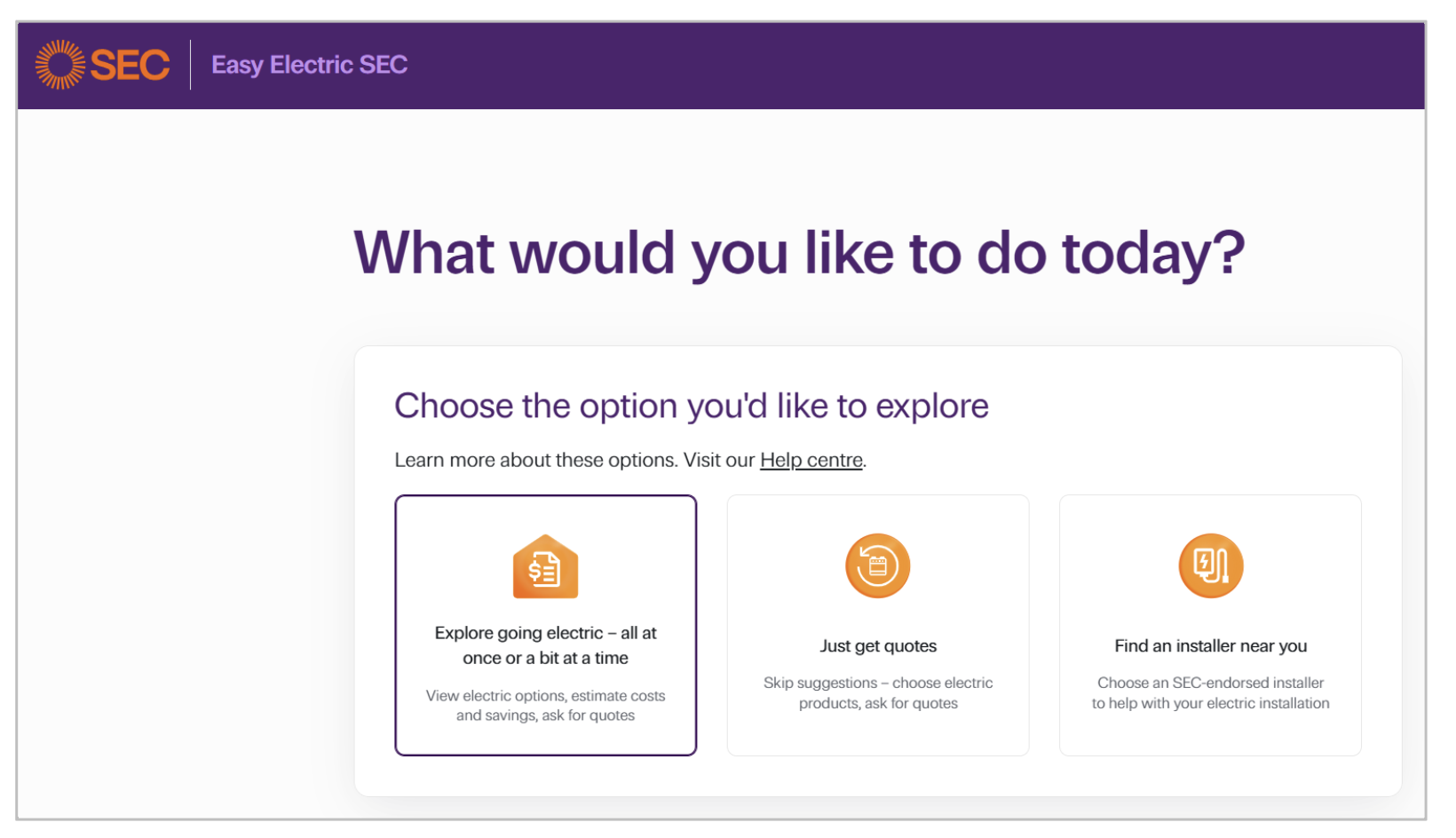
When you choose Explore going electric option in Easy Electric SEC, you’ll follow the system prompts to view upgrade recommendations, and costs and savings estimates – you can even ask for a quote if you like what you see.
Along the way, we’ll ask you how much you spend on energy.
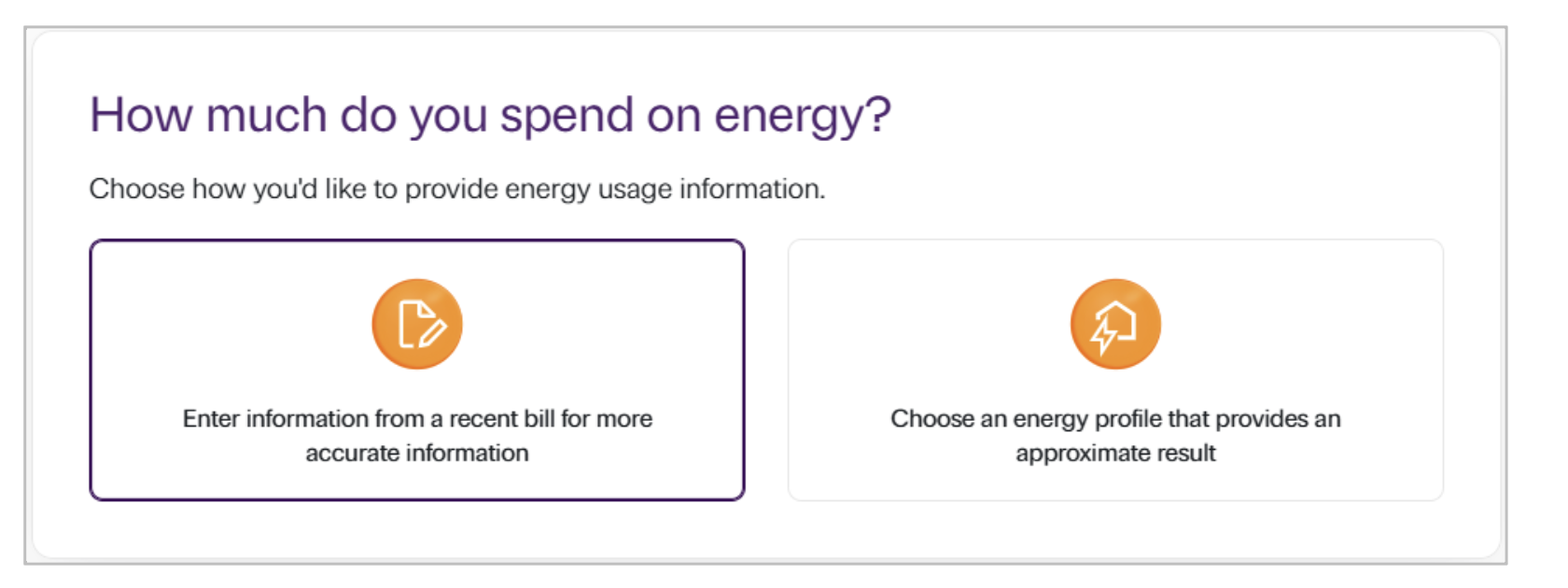
If you choose Enter information from a recent bill, more data fields open. And if you chose gas appliances before you got here, you’ll see both gas and electricity fields. This is where you can enter data from an energy bill or bills.
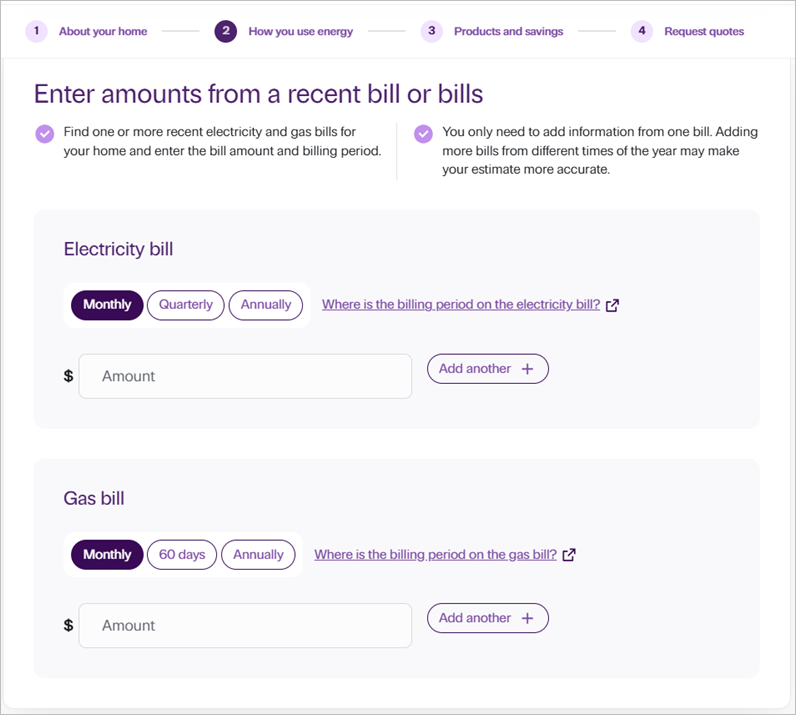
What do I enter?
You only need to add information from one bill, but adding more bills from different times of the year may make your estimate more accurate.
- Look at the billing period on your bill. It’s usually on page 2 and shows a date range.
In the system, choose the billing period that matches your bill. For:- electricity, choose from Monthly, Quarterly or Annually
- gas, choose from Monthly, 60 days or Annually
- Enter the total bill amount, which is on page 1 of your bill.
- If you have more than one electricity or gas bill, select Add another and repeat this process.
- Click Next: View your home’s estimated use to continue.
Tips for understanding energy bills
Understanding your energy bill can help you figure out how much energy you use, get a better deal by comparing gas and electricity plans and could give you ideas about ways to save on energy by comparing your usage to previous bills.
Each energy retailer’s bill includes core information. In Victoria, here’s what you can usually expect to see on your energy bills.
| Bill information | Where? | Electricity | Gas |
| Retailer name and contact details | Page 1 | ✅ | ✅ |
| Customer name | Page 1 | ✅ | ✅ |
| Supply address | Page 1 | ✅ | ✅ |
| NMI/MIRN (that’s the ID of the physical connection point) | Page 1 | NMI | MIRN |
| Bill issue date | Page 1 | ✅ | ✅ |
| Faults and emergencies information (distributor’s number – they manage the infrastructure that gets gas or electricity to your home) | Page 1 | ✅ | ✅ |
| Energy and Water Ombudsman Victoria (EWOV) details | Page 1 | ✅ | ✅ |
| Pay by (due) date | Page 1 | ✅ | ✅ |
| Best offer information for the Victorian Default Offer (VDO) – the retailer will let you know if you’re on their best plan | Page 1 | ✅ | N/A |
| How to pay | Page 1 | ✅ | ✅ |
| Total amount payable (incl. GST) | Page 1 | ✅ | ✅ |
| Previous balance & payments | Page 2 | ✅ | ✅ |
| Meter read type (actual/estimate/customer read) | Page 2 onwards | ✅ | ✅ |
| Meter number (the ID of the actual meter) | Page 2 onwards | ✅ | ✅ |
| Energy usage | Page 2 onwards | kWh | MJ |
| Billing period (from–to dates) – you’ll need this info when entering bill info into Easy Electric SEC | Page 2 onwards | ✅ | ✅ |
| Usage charges (tariff-based, e.g. flat rate, time-of-use, controlled load) | Page 2 onwards | ✅ | ✅ |
| Daily supply charge (daily fee distributors charge to get energy to your property) | Page 2 onwards | ✅ | ✅ |
| Concessions shown (if applicable) | Page 2 onwards | ✅ | ✅ |
| Payment difficulty/hardship information | Page 2 onwards | ✅ | ✅ |
| GST shown or clearly included | Page 3 | ✅ | ✅ |
In Victoria, an estimated read is more likely for gas when, for example, a meter reader couldn’t access your meter to read it. This is less likely for electricity because most houses in Victoria have smart meters that communicate regularly with the network.
If you got an unusually high bill and you haven’t done anything differently since the last bill, it could be you’ve had an estimated meter read.
You may be able to get a bill adjustment by providing your energy retailer an actual read, called a self-read. Contact them to find out if this is possible. You’ll find their number on page 1 of your bill.
Towards the end of your bill, your retailer might provide graphs of your energy use. Often they’ll display:
- your total usage for the billing period
- a comparison with your last bill
- a comparison with the same time last year.
What’s a tariff?
The tariff is the amount you pay per unit of energy you use.
Why it matters
If you’re on a flat rate tariff, you pay the same amount any time you use energy. If you’re on a time-of-use tariff, you pay different amounts at different times of the day or night.
There are other tariffs too, like controlled load. If you have a high-energy use item, like a heated pool, you’ll usually have a separate meter set to a controlled load tariff. This means it heats only during specific times, often when energy is abundant or grid use is low.
Changing a tariff
Talk to your energy retailer if you’d like to change your tariff. They can explain if you can do it at your property, and why you might or might not want to do it. If you do go ahead, they can book the change with your network distributor (that’s the company that owns the infrastructure that gets energy to your home).
A fee may be payable, so check with your retailer about the benefits of changing before you make any decisions.
If you’ve got a solar system and you export excess solar energy to the grid, your bill will show:
- how many kilowatt hours (kWh) you’ve exported
- the cents per kWh you’ve earned, in line with your energy plan’s solar feed-in tariff
- the feed-in credit that’s been applied.
Feed-in tariffs vary by retailer and energy plan.
When you take up an energy plan with an energy retailer, you’ll either sign up to a market contract or a standard retail offer. Market contracts often run for 12 months and could include benefits for that period of time. Examples of benefits are things like:
- a bundled discount for having more than one fuel with the company
- a pay on time discount
- rewards points
- home emergency maintenance offers
- a higher feed-in tariff
- low or no cost usage charges on an EV plan during specified times.
If you’re on a market contract, before your contract ends your retailer will write to you to let you know. They’ll tell you when it expires and what you’ll roll onto if you don’t choose another market plan. Often that’s a no-frills, standard retail contract.
Good news is that many energy plans don’t have exit fees, so you may be able to change whenever you like – to take up another market offer with benefits. Check the fine print of your current energy plan first to make sure there are no exit fees.
You’ll usually find the name of your energy plan on or after page 2 of your bill.
Victorian electricity bills must include a best offer notice on page 1, once every three months. The message must tell you if you’re on your energy retailer’s best available plan, based on your past energy usage. If you could be on cheaper plan, the retailer will also provide this information.
Victorian households can use the Victorian Government’s independent comparison site Victorian Energy Compare to compare gas and electricity offers. If you’re not moving, you’ll need a copy of a recent bill for the comparison.
- Start by contacting your energy retailer. You’ll find their number on page 1 of your energy bill.
- If you don’t get the help you need, you can contact the Energy and Water Ombudsman Victoria. Their details are usually on page 1 of your energy bill.
The role of energy retailers and distributors
Your bill usually shows two different names:
- Your energy retailer. This is the company that sells you energy and issues your gas or electricity bill. They manage any changes that a distributor will need to carry out. For example, if you need a meter fixed or a tariff change after adding solar.
- Your energy distributor. This is the company that owns and maintains the infrastructure (like poles, wires and pipes) that supplies energy to your home – and your daily supply charge relates to their service. The emergency contact on page 1 of your bill is your energy distributor’s number.
You can choose your retailer, but not your distributor. The distributor is related to your home’s location.
External resources
- Getting the best energy offer, electricity (Essential Services Commission)
- Victorian Default Offer, electricity (Essential Services Commission)
- Victorian Energy Compare
- Energy and Water Ombudsman Victoria (EWOV)