

Key takeaways
This article explains the difference between the options in the Easy Electric SEC online tool. Use it to:
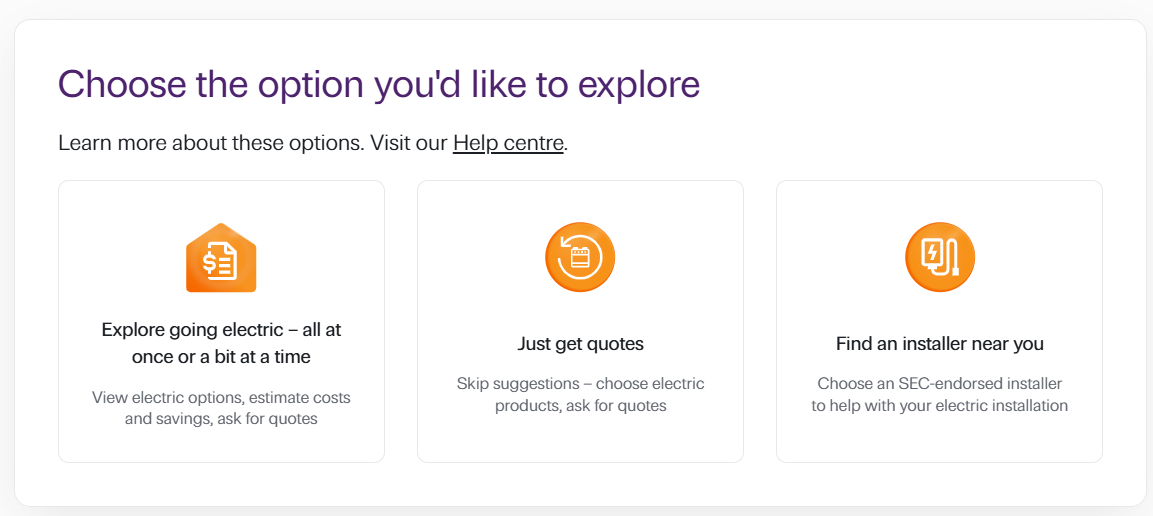
- Explore going electric: View electric options, estimate costs and savings and ask for quotes
- Just get quotes: Skip recommendations. Choose electric products and ask for quotes.
- Find an installer near you: Choose an SEC-endorsed installer to help with your electric installation.
About the Easy Electric SEC online tool
The Easy Electric SEC online tool brings together clear, simple, personalised guidance and a trusted, statewide network of SEC-endorsed installers, giving you the confidence to electrify your home at a pace and budget that suits you.
From understanding upfront costs, available rebates and potential bill savings, through to recommending products and connecting directly with local SEC-endorsed installers for obligation-free quotes, Easy Electric SEC supports you every step of the way.
Your choice of three options
When you visit the Easy Electric SEC online tool, choose Get started to see these three options:
- Explore going electric
- Just get quotes
- Find an installer near you.
Which one’s for you?
Great for planning, and comparing costs and savings
Use this option to estimate your household’s energy use today and view possible future savings by ‘trying on’ an upgrade preference that suits your energy goals. Choose from:
- Going all-electric
- Lowest emissions
- Biggest energy bill savings
- Quickest payback.
Simply click an energy upgrade preference label to see the estimated costs and savings for that option.
Under the upgrade preference section, you’ll see recommendation(s) that align with the upgrade preference you chose. These recommendations take into account the information you entered about your household appliances and energy usage.
Run different scenarios to help you decide
Click another upgrade preference to explore different recommendations, estimated costs and estimated savings.
Do this as often as you like, to gather the information you need to plan your upgrade.
Print your upgrade preferences
You can even print each preference to PDF to refer to later. You’ll find the print button at the bottom of the screen.
View and tailor your recommendations
Select Next: Products and savings to view your energy upgrade recommendation. On this screen, you’ll see recommended appliances and products, as well as your estimated:
- out of pocket cost
- rebate/discount (if eligible)
- upgrade cost
- monthly energy usage cost change
- payback period.
You can change your upgrade recommendations to suit your budget and goals by:
- selecting a different energy upgrade preference
- removing recommended appliances and products from the calculation. Uncheck the box next to the appliance/product you want to remove.
Your estimates change dynamically to reflect your new choices.
When you’re ready, request a quote
Select Next: Request a quote and follow the prompts to be put in touch with up to three SEC-endorsed installers in your area. The installers will contact you to discuss next steps and provide obligation-free quotes.
Did you know?
Many financial providers offer products tailored for different energy-efficient home improvements, which could help make the upfront cost more affordable. Read our Finance types and providers article to find out more.